Business automation for ecommerce and service teams
We map how orders, stock, leads and reports move through your business, then automate the repeatable parts with Make, Zapier and monday.com, with alerts when something breaks.
What problems does this fix?
Hours lost to copy and paste
Orders, tracking numbers and stock counts retyped between systems every day.
Problems found by customers
A missed order or wrong address only surfaces when someone complains.
Reports take a day to build
Monday morning means exporting five CSVs and hoping they match.
Growth means more hires
Every new channel adds admin, so costs rise as fast as sales.
What changes after Automation & Systems?
Data that moves itself
Orders, stock and leads sync between your tools automatically.
Alerts before anyone notices
Exceptions flagged to the right person in minutes.
Live dashboards
Revenue, margin and stock in one place, updated daily.
Systems-led growth
Add channels without adding admin.
Which platforms do we manage?
-
Make
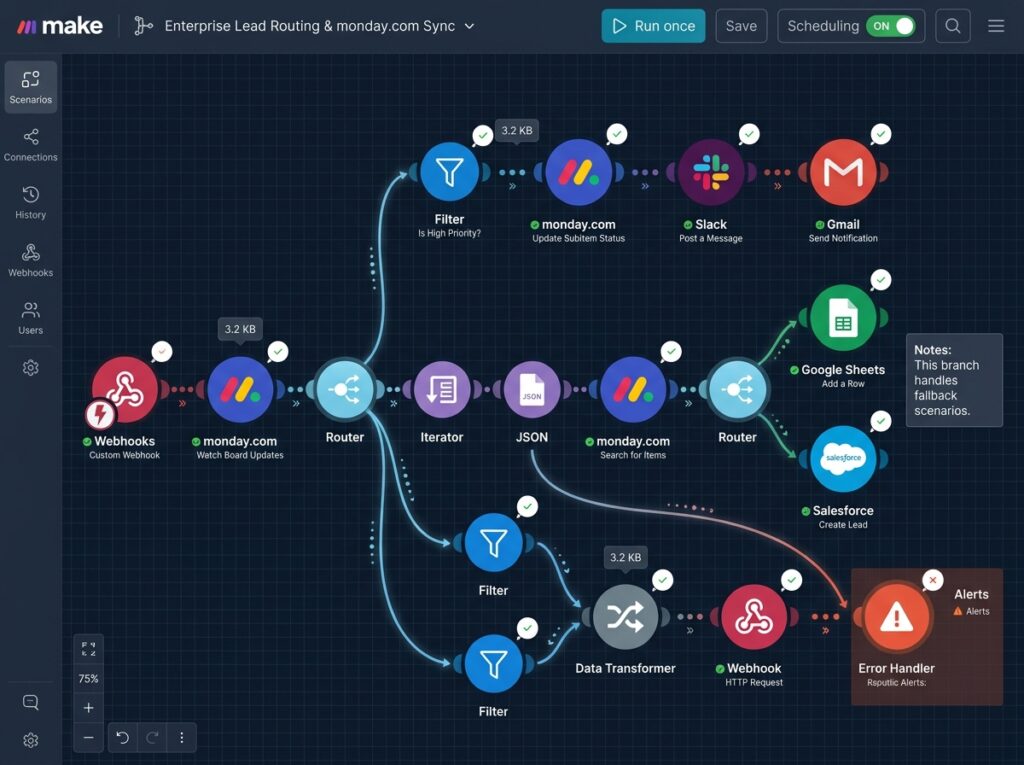
Multi-step scenarios for orders, refunds and exceptions.
-
Zapier
Quick links between everyday tools.
-
monday.com
Ops boards with owners, deadlines and automations.
-
HubSpot
CRM pipelines, lead routing and follow-up sequences.
-
Linnworks
Multichannel stock and order management.
-
Xero
Invoices and payouts reconciled automatically.
How does it work, and how long does it take?
- 01 · Week 1
Free audit
We map every manual task and rank it by hours saved.
- 02 · Weeks 2–6
Fix sprint
We build, test and document the first automations in 2–4 weeks.
- 03 · Month 2 onwards
Grow
Monthly run-health checks and new automations as you grow.
The Automation & Systems Audit
A senior specialist reviews your setup and shows you exactly where money is leaking. Keep the plan whether you hire us or not.
Pricing: a clear written quote after your audit- Full automation & systems review
- Check against your top 3 competitors
- Map of manual work we can automate
- Top 5 fixes ranked by revenue, with a clear quote
Client reviews
Average rating 4.8 · 6 reviews“They took our listings back from resellers and sales nearly tripled. Straight talkers, no fluff.”
“The new store is fast and our team can change anything the same day. Conversion is up and staying up.”
“We got a full day a week back. Order problems now get flagged before customers notice.”
“Steady meetings with buyers every week. Our pipeline has never looked this healthy.”
“Seller rating back above 99% and sales up two thirds. They found problems we didn’t know we had.”
“TikTok Shop is now our second-biggest channel. Reporting is clear and the team is quick to reply.”
Write a review
Thank you. Your review is with our team and will appear once it's approved.
Automation & Systems: questions buyers ask
What can you automate in an ecommerce business?
Order routing and exceptions, stock sync between Shopify, Amazon and your warehouse, refunds and returns, invoices in Xero or QuickBooks, lead capture into your CRM, review requests and weekly reports. Start with the task that eats the most hours each week; for most of our clients that's order exceptions or reporting.
Make or Zapier: which should we use?
Zapier is quicker for simple two-step links between everyday tools. Make handles multi-step scenarios with branching and error handling, and costs less per task once volume grows. Plenty of our clients use both.
How much does automation cost?
Most first projects are a fixed-scope build of 2 to 4 weeks, quoted after the audit, plus any software subscriptions. We rank every manual task by hours saved, so the first build goes after your biggest time cost.
What if an automation breaks?
Every scenario has error alerts and a weekly health check. We fix issues within one business day.
Do we need new software?
Usually not. We start with the tools you already pay for.
Will our team understand it?
Yes. Every automation ships with a short video walkthrough and written notes.